Breach Commander's subscriptions, either created by our sales team or bought through our online shopping cart experience, are managed and billed via our payment provider (Stripe).

This partnership ensures a convenient and secure payment experience brought to you by a major online payment provider.
Accessing your Stripe Customer portal
You can access your Stripe customer portal through various means, including:
- By logging into your Stripe account at https://stripe.com
- At any time while logged into your Breach Commander account:
User menu (bottom left) -> Customer Settings -> Subscriptions ->Change
Managing your subscription
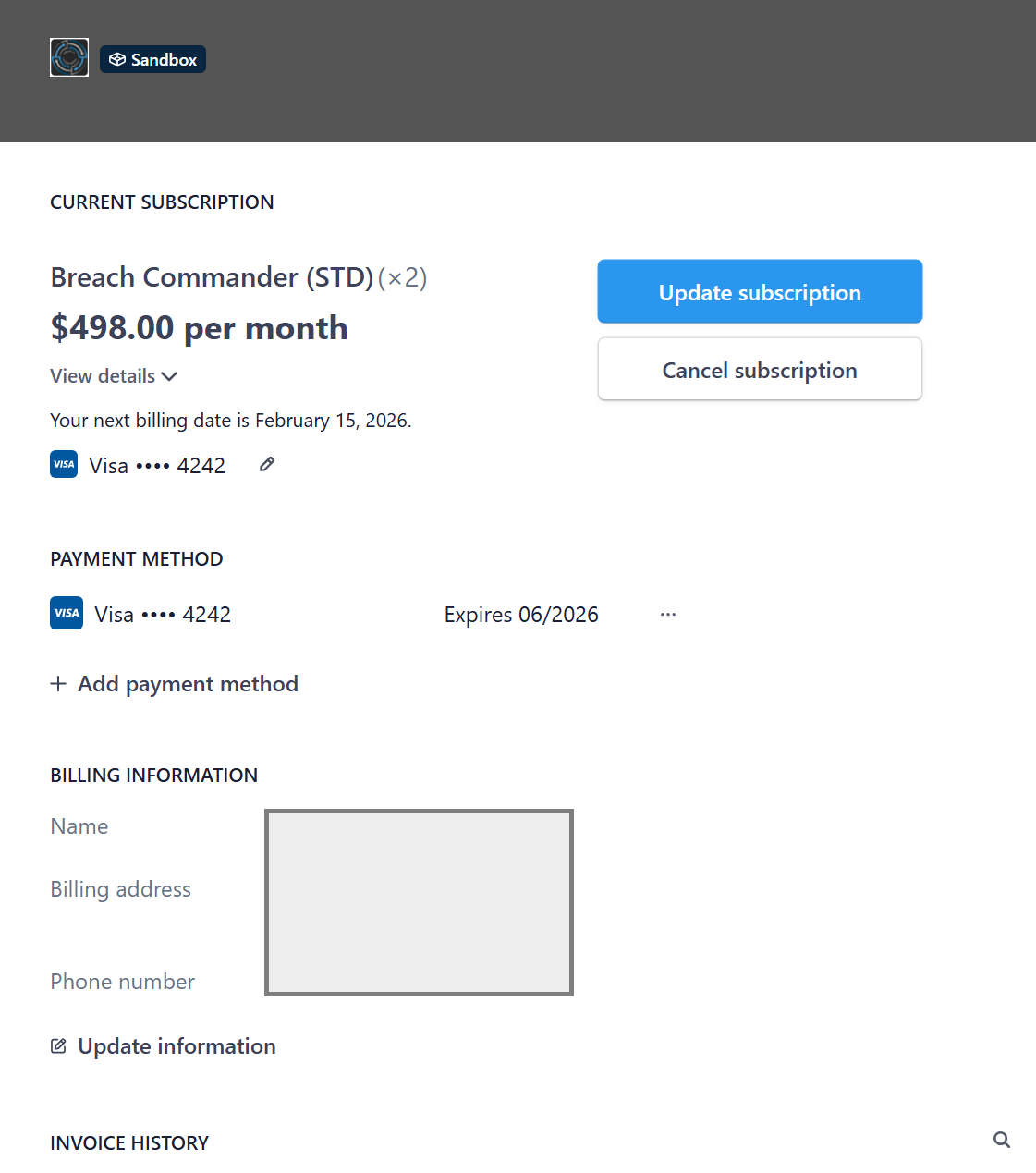
Once you access your customer portal, you will be presented with a view of your current subscription.
From there you are able to:
- update your payment method
- update your billing address and tax ids
- Update your subscription (edition, number of seats, subscription period)
- Cancel your subscription
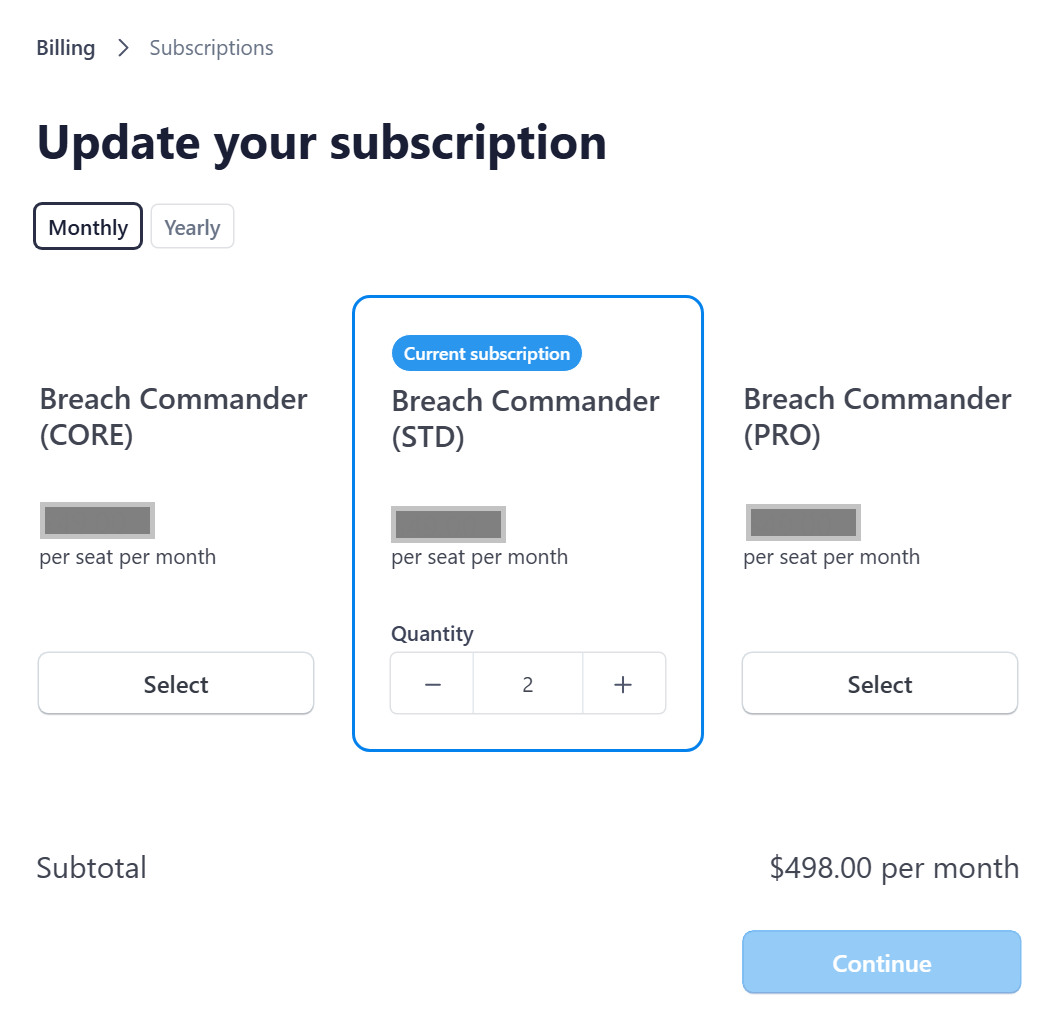
Changing your subscription
Once you click "Update your subscription", you will be presented with a complete set of possibilities to modify the edition of Breach Commander you consume (CORE, STANDARD, PRO), the subscription period (monthly, yearly) and the number of seats you desire.
Upgrades or increased quantities take effect immediately upon payment processing.
Downgrades or decreased quantities take effect immediately upon payment processing.
Any pricing difference owed to you will be automatically prorated and deduced from your new subscription price.
Was this article helpful?
That’s Great!
Thank you for your feedback
Sorry! We couldn't be helpful
Thank you for your feedback
Feedback sent
We appreciate your effort and will try to fix the article