To create an incident management case :
- Click "New Case" in the left menu.
- Fill out the case details:
- Victim Organization
- The code name you want to give your case (suggestion autogenerated)
- The severity of the case (Low, Medium, High)
- Check whether the case is a practice case (table top exercise) or a real incident case. [Note: this cannot be changed after creation]
- Assign the roles:
- Incident Commander (The central management role)
- Business Lead (The business leadership representative)
- Technical Lead (The technical leadership representative)
- An optional Audit Lead (The auditor of the case), who can be added later on as needed. [Note: The auditing features are only available in the Pro version]
- Click "Save".
- After creation, you are presented with the choice to go into the new case directly or not.
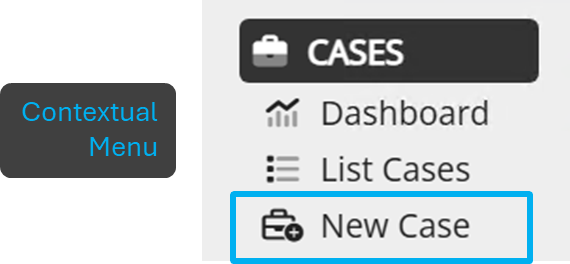
Figure 1: Case creation menu option
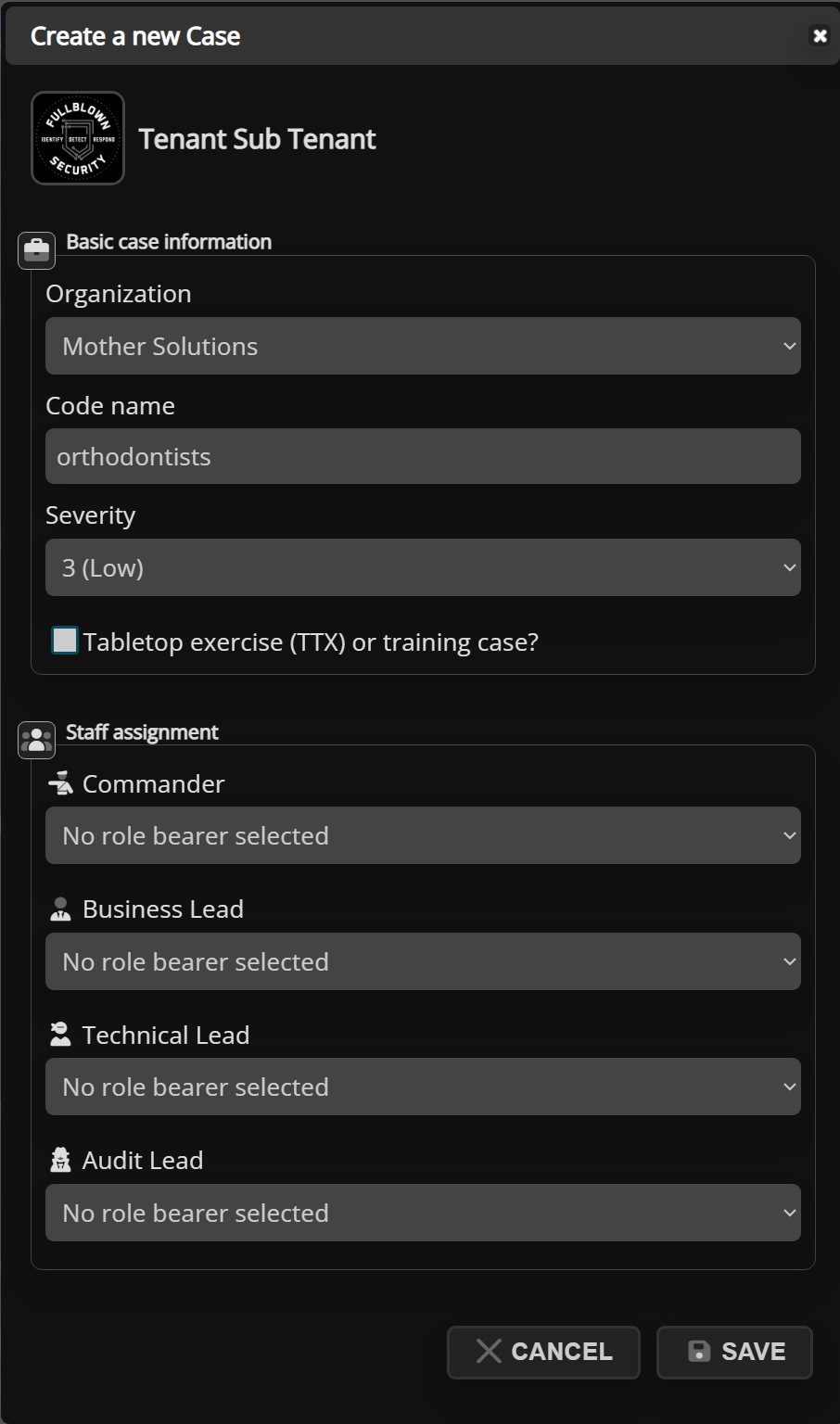
Figure 2: Case creation dialog
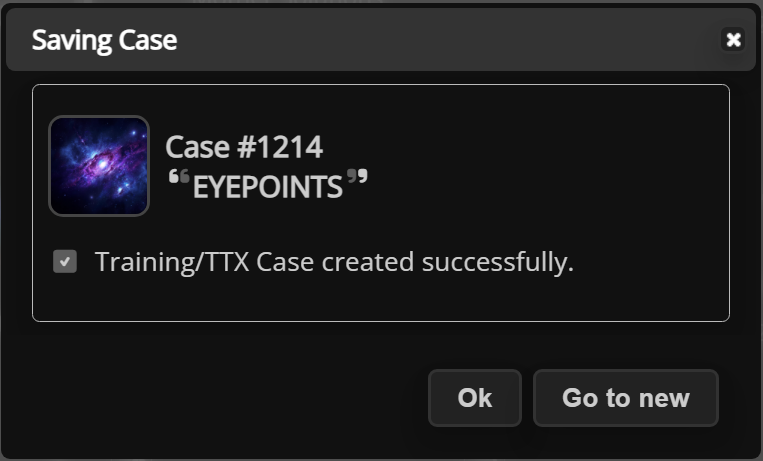
Figure 3: Post-creation dialog
Was this article helpful?
That’s Great!
Thank you for your feedback
Sorry! We couldn't be helpful
Thank you for your feedback
Feedback sent
We appreciate your effort and will try to fix the article